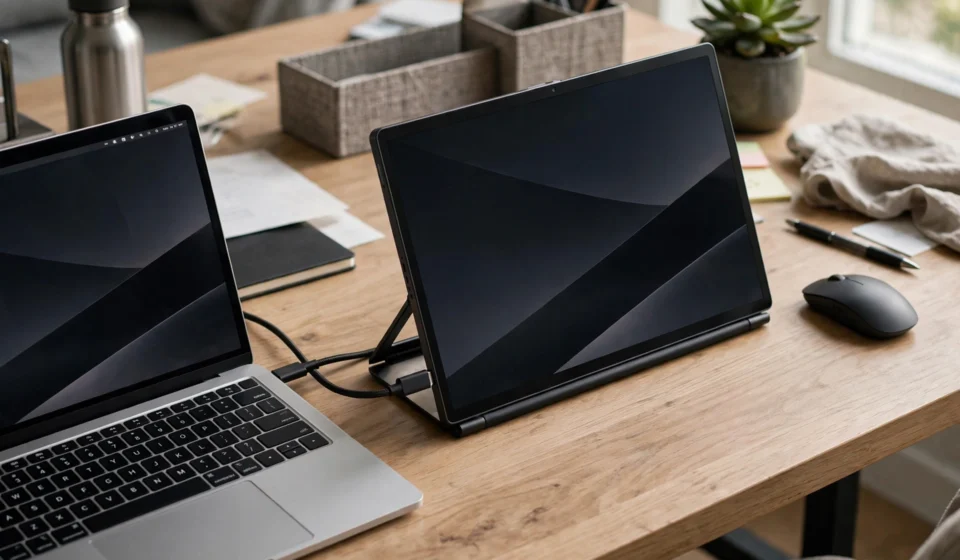

A second screen is one of the cheapest real productivity upgrades you can buy — and the best portable monitors 2026 has to offer fold flat, run from a single cable, and slip into a laptop bag. Whether you’re working from a hotel room, a train, or a café table, a portable display turns a laptop into a proper two-screen workstation without the weight of a full monitor.
But not all portable monitors are equal. Panel quality, brightness, connectivity, weight, and the stand all decide whether the thing earns its place in your bag — or gets left at home. This guide explains what actually matters in 2026 and ranks the strongest picks for work, gaming, and travel.
What to look for in the best portable monitors 2026
Five factors decide whether a portable monitor is a genuine tool or a gimmick. Check all five before buying.
Panel: resolution and type
Full HD (1920×1080) is fine for email, spreadsheets, and video calls. Stepping up to 1440p or 2.5K (2560×1440) makes text noticeably sharper — worth it for coders and writers. 4K OLED panels deliver desktop-monitor image quality with deep blacks and wide colour, but they cost more and draw more power. IPS panels are the mainstream sweet spot: good viewing angles, decent colour, and reasonable prices.
Connectivity: one cable or two?
The ideal portable monitor runs on a single USB-C cable carrying both power and video (USB-C DisplayPort Alt Mode). That’s the travel-friendly setup. Cheaper or older models may need a second cable for power, or use mini HDMI — which works with gaming consoles and cameras but always needs separate power. One warning: USB-C doesn’t automatically mean the port supports video, especially on budget laptops — check your machine before buying. MacBook users get single-cable support on any Thunderbolt-equipped model.
Brightness
Between 250 and 300 nits suits most travel — enough for hotel rooms and cafés. A matte or anti-glare finish matters as much as the raw number, because it decides whether a window-side table stays readable. For photo or video work outdoors, aim for 400 nits or more; the brightest portable panels now push past 500 nits.
Weight and stand
Under 2 pounds (about 0.9kg) is the realistic threshold for a monitor you’ll actually carry daily. Stand design matters more than people expect: folio covers that double as stands are compact but wobbly, while built-in metal kickstands stay stable on tray tables. A VESA mount hole is a bonus for desk use.
Refresh rate and extras
60Hz is plenty for office work. Gamers should look for 120Hz or higher with FreeSync support for pairing with consoles or a Steam Deck. Touchscreen models exist for touch-first workflows (design, presentations), and a few models pack their own battery for working untethered from any power outlet.
The best portable monitors 2026: our top picks
1. ViewSonic VX1655-4K-OLED — best overall portable monitor 2026
The ViewSonic VX1655-4K-OLED is the best overall pick among the best portable monitors 2026 because it’s the rare portable that doesn’t feel like a compromise next to a real desktop monitor: a 15.6-inch 4K OLED panel with genuinely deep blacks and wide colour coverage, weighing just 1.5 pounds, with two USB-C ports plus mini HDMI. At around $499.99, it’s priced in the premium portable tier — but it’s the one to buy if you want desktop-grade image quality in a laptop bag.
2. KYY 15.6-inch 1080p — best for travel
After months of carry-on testing by reviewers, the KYY 15.6-inch remains the best portable monitor for travel: the right weight at 1.7 pounds, single-cable operation on almost any laptop, a matte panel that handles mixed lighting, and a cover that doubles as a stand and scratch protection. Frequently available under $65, it’s the one reviewers pack themselves — proof that the best travel screen is the one you actually carry.
3. Arzopa Z3FC — best for gaming
The Arzopa Z3FC is the easy pick when frame rate matters more than colour science: a 16.1-inch 2560×1440 panel running at 180Hz, with two USB-C ports and mini HDMI, at around $169.99. That combination — high refresh, QHD sharpness, console connectivity — is unmatched at the price, and it undercuts most 60Hz competitors.
4. Dell Pro 14 Plus P1425 — best ultra-light business pick
The Dell Pro 14 Plus is the lightest option in this roundup at about 1.36 pounds with its stand, and its 14-inch 1920×1200 panel uses a 16:10 aspect ratio that gives documents and spreadsheets slightly more vertical room than standard 1080p. Tom’s Hardware measured 409 nits of peak brightness and 100.6% sRGB coverage — strong results for a business-focused IPS portable. The trade-off is connectivity: two USB-C ports but no HDMI, so your laptop needs USB-C video output. At around $259.99 it’s a solid corporate-travel pick.

5. Lenovo ThinkVision M14t Gen 2 — best touchscreen portable monitor
For touch-first workflows — design, annotation, presentations — the Lenovo ThinkVision M14t Gen 2 stands out: a 14-inch 2240×1400 touchscreen IPS panel, stylus included, 1.5 pounds, at around $297. Two USB-C ports keep cabling simple, and the higher-than-1080p resolution keeps text sharp. Lenovo’s ThinkVision line is also one of the few portable-monitor brands with genuinely reliable warranty support.
6. MSI PRO MP165 E6 — best ultra-budget name-brand pick
Sometimes you just need a working second screen for under $100. The MSI PRO MP165 E6 — a 15.6-inch 1080p IPS panel at around $94.99 with two USB-C ports and HDMI — is the cheapest reputable-brand option in 2026. No touchscreen, no 4K, no high refresh — just a competent second screen for the price of a nice dinner.
7. VisionOwl 16-inch 2.5K 144Hz — best all-rounder for work and play
The VisionOwl 16-inch splits the difference between office and gaming: 2560×1440 sharpness with a 144Hz refresh rate in a portable-weight package, with a stable metal kickstand that stays put on tray tables. It’s the editor’s-choice style pick for buyers who want one screen for spreadsheets by day and high-refresh gaming by night.
8. UPERFECT 18.5-inch — best large portable monitor
At 18.5 inches, the UPERFECT trades some portability for a desktop-sized workspace — the right call if you present slides or spreadsheets to a small group, or just want more screen real estate than any 15.6-inch can offer. Expect to carry a power supply and accept the extra pound, but for stationary “portable” use it’s the productivity king.
How to choose among the best portable monitors 2026
Start with your primary use. Office work and travel: prioritise weight, single-cable USB-C, and 250+ nits. Gaming: 120Hz+ and FreeSync with HDMI for consoles. Creative work: 4K or OLED with strong colour coverage. Then check your laptop’s ports — a monitor is only single-cable if your USB-C port supports video output (most modern laptops do; some budget models don’t).
Test before you travel. Plug the monitor in at home and confirm the single-cable connection works at your preferred brightness — that’s the one minute of checking that saves a disappointing morning at 30,000 feet. And remember what the screen is for: it turns your laptop into a workstation, but it won’t fix a slow machine — if your laptop itself needs an upgrade, read our guide to the best AI laptops 2026 first.
Final verdict on the best portable monitors 2026
The best portable monitors 2026 rewards buying for your actual use case. The ViewSonic VX1655-4K-OLED is the best overall screen, the KYY 15.6-inch is the one travellers actually carry, the Arzopa Z3FC wins for gaming, and the Dell Pro 14 Plus is the lightest business pick. Whichever you choose, check the port situation on your laptop, aim for under 2 pounds if you’ll carry it daily, and don’t pay for 4K unless your work genuinely benefits from it.
Frequently asked questions about the best portable monitors 2026
Do portable monitors work with a MacBook?
Yes — over a single USB-C cable on any MacBook with a Thunderbolt port. The practical limit is the number of external displays, not the monitor: base M-series chips drive one external screen at a time, so a portable monitor plus your MacBook screen is the natural pairing. Pro and Max chips raise the ceiling.
Do portable monitors need a separate power adapter?
Usually not. Most portable monitors draw power from the laptop through the USB-C connection. Some need external power when connected via HDMI, when the laptop’s USB-C port can’t deliver enough power, or at maximum brightness on power-hungry 4K panels. If in doubt, travel with a compact charger.
What screen size is best for a portable monitor?
15.6 inches is the mainstream sweet spot — big enough for real work, small enough to fit a laptop bag. 14-inch models are lighter and more packable; 17–18.5-inch models give desktop-like space but need their own power supply and a bigger bag.
Can you game on a portable monitor?
Yes. Portable monitors work well with the PS5, Xbox Series X|S, Nintendo Switch, and handhelds like the Steam Deck. For gaming, choose 100Hz or higher with FreeSync support — the VisionOwl 2.5K 144Hz and Arzopa Z3FC are the standouts in this roundup.
Are touchscreen portable monitors worth it?
For most office workers, no — you’ll pay a premium for a feature you rarely use. For designers, annotators, and presenters who already work touch-first, a model like the Lenovo ThinkVision M14t Gen 2 (stylus included) genuinely changes the workflow.
How bright should a portable monitor be for travel?
Between 250 and 300 nits suits most travel scenarios. A matte anti-glare finish matters as much as the number for readability in bright environments. For outdoor creative work, look for 400 nits or more. For TechRepublic’s full comparison of this year’s picks, see their best portable monitors 2026 roundup.