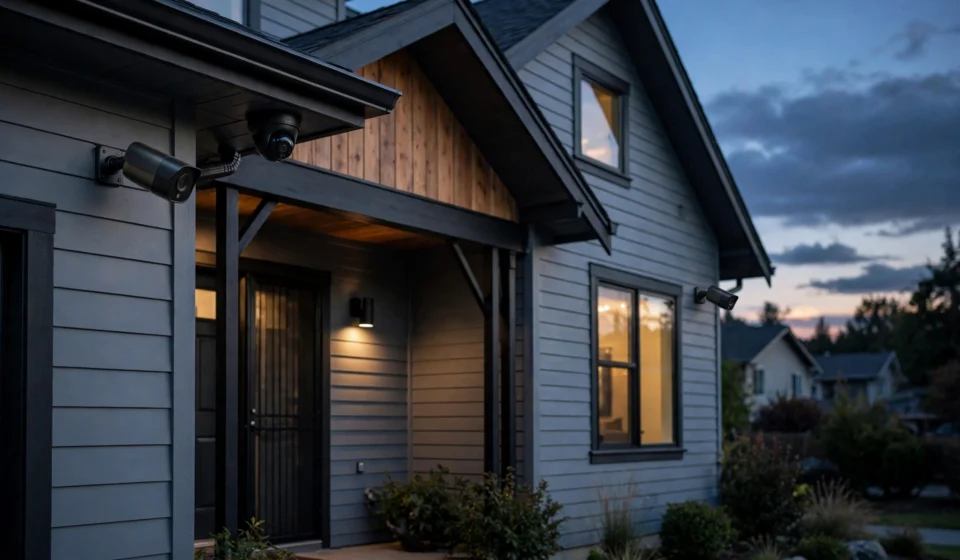

A good security camera has become one of the most practical upgrades a homeowner can make. Modern models do far more than record grainy video: they stream in sharp high resolution, tell the difference between a person and a passing cat, speak to visitors at the door, and send an alert to your phone within seconds of spotting movement. With so many brands competing in 2026, though, choosing the right one can feel overwhelming. This guide breaks down the best home security cameras 2026 shoppers should know about, from budget-friendly indoor cams to subscription-free outdoor systems.
Best Home Security Cameras 2026: Our Top Picks at a Glance
Before diving into the details, here is a quick snapshot of the standouts this year:
- Best overall: Reolink Argus 4 Pro — 4K panoramic coverage with solar power
- Best budget pick: Wyze Cam v4 — affordable 2.5K indoor/outdoor camera
- Best no-subscription system: eufy security cameras — local storage with no mandatory monthly fees
- Best for Alexa homes: Ring cameras paired with Ring Protect
- Best for Google homes: Google Nest Cam with Nest Aware
- Best battery life: Blink Outdoor 4 — long battery life and simple setup
- Best video quality upgrade: Arlo Pro series — 2K HDR clarity
Why 2026 Is a Great Year to Buy
Camera technology has matured fast. Two resolutions that were once premium — 2K and 4K — now appear in mid-range models. AI detection has improved to the point where person, vehicle, and pet alerts are standard rather than extras. Colour night vision, once a luxury, is showing up in budget cameras like the Wyze Cam v4 and the TP-Link Tapo line. And solar-powered options such as the Reolink Argus 4 Pro and the eufy SoloCam S340 make truly wire-free installation realistic even in tricky mounting spots.
Perhaps the biggest shift is choice around subscriptions. A few years ago, nearly every camera locked its best features behind a cloud plan. In 2026, brands like eufy, Reolink, and Wyze let you get full functionality — local recording, smart alerts, and playback — without paying a monthly fee, while Ring, Nest, Arlo, and Blink still lean on subscriptions for video history and advanced features.
The Best Home Security Cameras 2026: Detailed Top Picks
Reolink Argus 4 Pro — Best Overall
The Reolink Argus 4 Pro earns the top spot by combining high-end specs with genuine convenience. Its dual-lens design delivers a seamless 180-degree panoramic view, so one camera can cover an area that would normally need two. The 4K 8MP sensor records at 3840 × 2160 resolution, and Reolink’s ColorX technology produces full-colour footage even in very low light without blasting a spotlight.
It runs on a rechargeable battery with an included solar panel, connects over dual-band Wi-Fi 6, and stores footage on a microSD card up to 128GB. Person, vehicle, and animal detection are built in, and Reolink includes seven days of free cloud storage for a single camera on top of local recording. The main trade-off is a higher upfront price than basic cameras, and solar charging naturally depends on getting enough sunlight at the mounting spot.
Wyze Cam v4 — Best Budget Pick
For anyone starting small, the Wyze Cam v4 is hard to beat. It records in 2.5K QHD (2560 × 1440), works both indoors and outdoors with IP65 weather resistance, and offers colour night vision and AI detection — features that used to cost far more. It typically sells at a low entry price point, making it the go-to recommendation for renters, students, or anyone adding their very first camera.
The optional Wyze Cam Plus plan is inexpensive if you want extended cloud history, but the camera is perfectly usable without it thanks to microSD local storage.
eufy Security Cameras — Best Without a Subscription
Eufy has built its reputation on one simple promise: full features with no mandatory monthly fee. Models like the eufyCam S3 Pro record in 4K with local storage built in, and AI features such as person detection are included rather than locked behind a plan. Eufy does offer optional cloud storage and professional monitoring plans, but they are genuinely optional.
This makes eufy the strongest choice for buyers who want to avoid subscriptions entirely. The hardware costs a bit more upfront than subscription-dependent rivals, but over two or three years the total cost of ownership often works out lower.
Ring Cameras — Best for Alexa Households
Ring remains the default choice for homes already invested in Amazon’s ecosystem. Its cameras pair seamlessly with Echo devices — ask Alexa to show the front door on an Echo Show and the feed appears instantly. Hardware is affordable, with models starting at low price points.
The catch is the Ring Protect subscription, which recent reports put at around $4.99 per month for a single device or about $9.99 per month for all devices at one location (Ring Multi). Without a plan, you lose access to recorded video history. If you live in the Alexa world and don’t mind the ongoing fee, Ring’s integration and the community-focused Neighbours app make it compelling.
Google Nest Cam — Best for Google Homes
Google’s Nest cameras shine for households built around Google Home. The Nest Cam Indoor (wired, 3rd generation) brings smart AI detection with deep Google Assistant integration, while the outdoor battery model covers exterior mounting. Video on most Nest cameras tops out at 1080p, which lags the 2K and 4K rivals, but the software experience is among the smoothest in the business.
Nest Aware subscriptions start at around $10 per month for event history, with a higher tier offering 60 days of event history plus continuous recording on compatible wired cameras. Check current Google Home Premium plan pricing before buying, as tiers have changed in the past.
Arlo Pro Series — Best Video Quality
If image clarity is the priority, Arlo wins on hardware. The Pro line records in 2K HDR as standard, with the Ultra models going further still, and the video is noticeably sharper than most 1080p rivals. Advanced AI analytics, customisable alert zones, and strong smart-home support round out the package.
Arlo’s weakness is cost: the hardware sits at the premium end, and the Arlo Secure subscription — recently around $9.99 per month for a single camera — is effectively required to unlock the smartest features. Battery life also drains faster than competitors because of the high-resolution recording, so expect more frequent charging or hardwiring.
Blink Outdoor 4 — Best Battery Life
Blink’s standout claim is battery life: the Outdoor 4 advertises up to two years on a pair of AA lithium batteries. For hard-to-reach mounting spots where you never want to climb a ladder, that is a genuine advantage. It records in 1080p HD, sets up in minutes, and integrates naturally with Alexa.
The Blink subscription starts at around $3.99 per month for one device, with a Plus tier covering unlimited devices. Compatible Sync Modules add local storage options for those who want to reduce reliance on the cloud.
Buying Guide: How to Choose Among the Best Home Security Cameras 2026
Wired vs Wireless
Wireless (battery or solar) cameras win on installation — mount them anywhere with a decent Wi-Fi signal. The trade-off is maintenance: batteries need charging or replacing, and solar panels need sunlight. Wired cameras (PoE or plug-in) never run out of power and often support continuous recording, but they need a cable run or a nearby outlet. For renters, wireless is usually the only practical option.
Resolution: Do You Need 4K?
For identifying faces and number plates at a distance, 4K is genuinely better than 1080p. But for watching the front porch or checking on pets, 1080p or 2K is plenty — and higher resolution means bigger files, more bandwidth, and faster battery drain. A sensible rule: 4K for the driveway and main entry, 1080p–2K for indoor rooms.
Storage: Cloud vs Local
Cloud storage protects your footage even if a thief steals the camera, and subscriptions usually add smart features. Local storage (microSD, home hub, or NVR) has no monthly fee and keeps footage in your hands, but the footage disappears with the device. Brands like eufy, Reolink, Lorex, and Wyze support local recording; Ring, Nest, Arlo, and Blink centre on cloud plans. Always factor at least a year of the required subscription into the real price.
Smart Home Compatibility
Match the camera to your ecosystem. Alexa households get the most from Ring and Blink; Google Home users should look at Nest; Apple HomeKit users have fewer options, with eufy and Arlo among the brands offering support. Matter support is still patchy in cameras, so check compatibility before assuming a camera will work with your setup.
Privacy
Point cameras at your own property, not your neighbour’s windows, and be aware of local recording rules if the camera captures shared areas. Use a strong unique password, enable multi-factor authentication, set privacy zones to exclude public areas, and keep firmware updated — unpatched cameras are a known target for intruders.
Where to Place Your Cameras
Placement matters as much as the camera itself. Cover the front door first — most break-ins start there — mounting at around chest height to capture faces. Add the back door and side gates, which are common entry points because they are less visible from the street. The driveway and garage cover vehicles and approaching visitors, while one indoor camera in a main hallway catches anyone who gets inside. Mount outdoor cameras 8 to 10 feet high so they are hard to reach but still see faces, and avoid aiming them directly into bright lights or the sun.
Final Verdict
There is no single camera that suits every home, but the 2026 market makes it easy to find the right fit. The Reolink Argus 4 Pro is our overall pick for its 4K panoramic view and solar freedom. Budget buyers should start with the Wyze Cam v4, subscription-haters with eufy, Alexa loyalists with Ring, Google fans with Nest, detail obsessives with Arlo, and anyone who dreads recharging with the long-battery Blink Outdoor 4. Decide on power source and storage model first, match the brand to your smart home, and you will end up with a system you actually keep using.
Frequently Asked Questions
What are the best home security cameras 2026 buyers can get without a subscription?
Eufy, Reolink, and Wyze are the strongest subscription-free options. They all offer local storage via microSD or a home hub, and their smart detection features work without a paid plan.
Do security cameras need Wi-Fi to work?
Most wireless cameras need Wi-Fi for live viewing and alerts. Some wired PoE systems record to a local NVR without internet, though you will lose remote access and app notifications until the network is back.
How much does a Ring Protect plan cost?
Recent reports put Ring Protect at around $4.99 per month for one device and about $9.99 per month for unlimited devices at one location. Ring changes plans occasionally, so verify the current pricing on Ring’s site before buying.
Is 4K worth it over 1080p for home security cameras?
4K helps when you need to zoom in on faces or number plates at a distance. For general monitoring of a porch, hallway, or pet, 1080p or 2K is usually enough and uses less storage and battery.
Can I install security cameras myself?
Yes — battery and plug-in cameras typically install in under 30 minutes with a phone app. Wired PoE systems take longer and may need cable routing, which is where a professional installer can help.
Are home security cameras legal in the UK?
You can film your own property, but cameras that capture neighbouring homes, gardens, or public pavements fall under UK data protection rules. Keep cameras pointed at your own property where possible, and check the Information Commissioner’s guidance if your camera covers shared areas.



[…] Temporary PIN codes are the killer feature of smart locks. Dog walkers, cleaners, and Airbnb guests each get their own code — set to expire automatically — instead of a shared spare key. Some brands, including Yale and Schlage, integrate with property-management platforms for automatic guest-code generation, which is worth knowing if you rent out a property. For more on protecting the rest of your home, see our guide to the best home security cameras 2026. […]