
The mechanical keyboard market has never been more crowded, and that is good news for buyers. Whether you type for a living, grind ranked matches at night, or just want something nicer than the rubber-dome board that came with your PC, the best mechanical keyboards 2026 has on offer cover every budget and use case. This guide rounds up ten standout picks, explains how to choose the right one, and answers the questions buyers actually ask.
How to choose from the best mechanical keyboards 2026
Before you look at specific boards, get familiar with the four decisions that matter most. Everything else — RGB effects, keycap materials, firmware — is a bonus.
Switch type: linear, tactile, or clicky
Switches are the heart of a mechanical keyboard. Linear switches move smoothly up and down with no bump — they are fast and quiet-ish, which is why gamers love them. Tactile switches, like the classic Brown, give a small bump you feel halfway down the press; typists often prefer that feedback because it confirms each keystroke. Clicky switches, like Blues, add a loud click to the bump — satisfying at home, risky in a shared office.
A newer option worth knowing is the Hall Effect magnetic switch, which uses magnets instead of physical contact points. Because there is no physical contact to wear out, these switches can offer adjustable actuation (you decide how far a key travels before it registers) and rapid trigger, which resets the key the instant you lift your finger — a real edge in competitive shooters.
Size and layout
Full-size boards give you everything, including the numpad, but they eat desk space and push your mouse far to the right. TKL (tenkeyless) drops the numpad. 75% packs nearly everything into a tight frame, and 60% strips things down to letters and modifiers. If you game with low mouse sensitivity, a smaller board gives your mouse arm room to move; if you type numbers all day, keep the numpad.
Connectivity
Tri-mode connectivity — Bluetooth, 2.4GHz wireless dongle, and wired USB-C — is the sweet spot on modern boards. Bluetooth is best for hopping between devices, 2.4GHz is lowest-latency for gaming, and wired is the fallback for charging and tournaments. Budget wired boards are still perfectly fine if your keyboard never leaves your desk.
Build: mount, case, and hot-swap
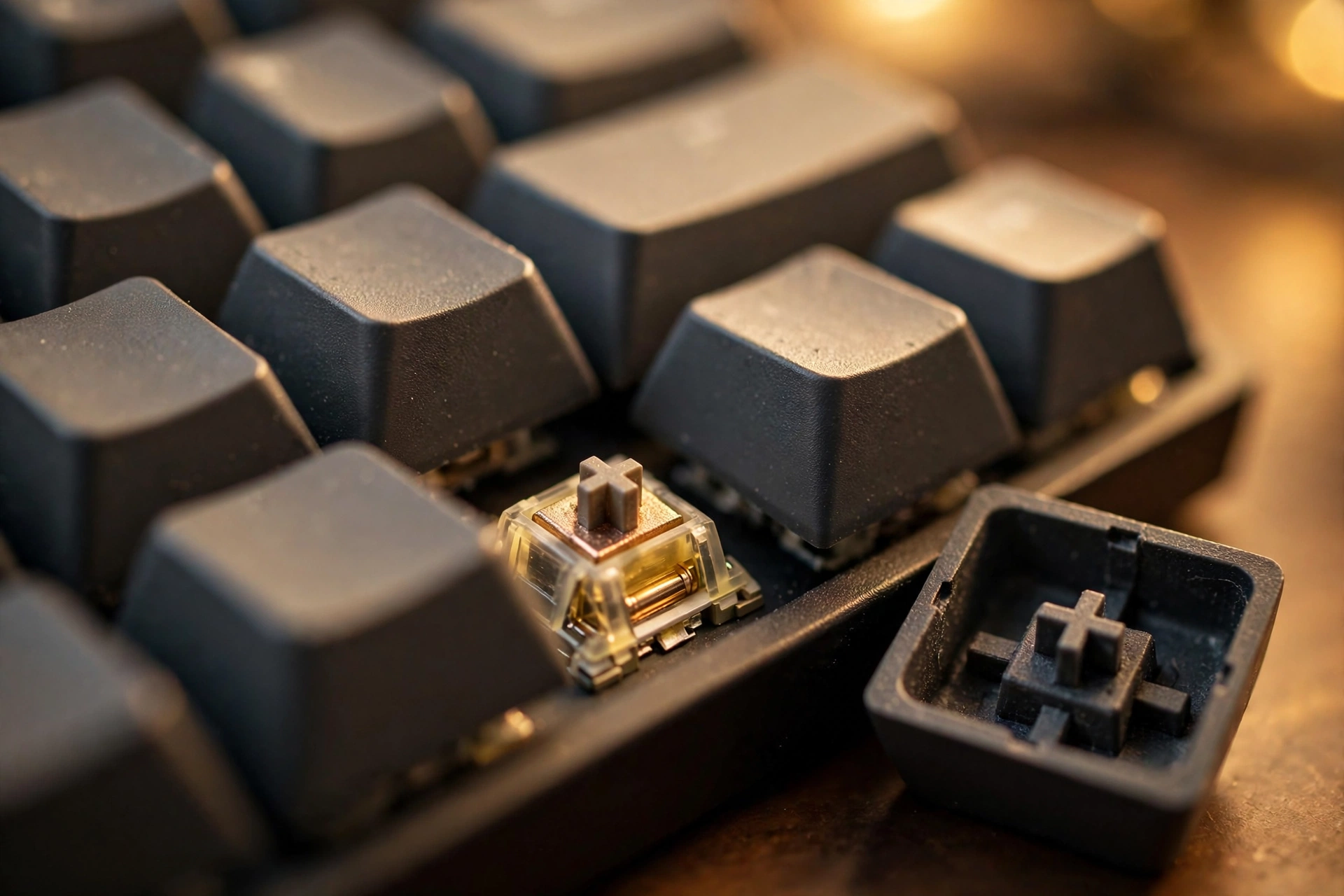
Gasket mount designs sandwich the plate between soft gaskets, giving a softer, slightly bouncy typing feel that most enthusiasts now prefer. Hot-swap sockets let you pull switches out and try new ones without soldering — one reviewer notes this is the single most future-proof feature a first mechanical keyboard can have. Aluminum cases sound deeper and feel more solid than plastic, but they add weight.
Best overall mechanical keyboard 2026: Keychron Q1 HE
The Keychron Q1 HE earns the top spot by doing something few boards manage: it is genuinely excellent for both typing and gaming. Its Hall Effect magnetic switches support adjustable actuation from 0.1mm to 4.0mm, plus rapid trigger for competitive play. Around it sits a full aluminum case with a gasket mount — the typing feel is deep and cushioned, not harsh.
At $199, it is not cheap, but you get a lot for the money: roughly 1.7kg of solid metal, QMK/VIA support for deep customization, and a sound profile that reviewers consistently praise. If you want one board that covers work and play without compromise, this is the pick.
Best budget mechanical keyboard 2026: Royal Kludge RK84 Pro
Value seekers should look at the Royal Kludge RK84 Pro. At $49, it packs features that cost twice as much a few years ago: a compact 75% layout, Bluetooth 5.1, 2.4GHz wireless, and wired USB-C (tri-mode), plus hot-swap sockets so you can swap switches later without a soldering iron.
There is even a rotary knob for volume control and per-key RGB if you like a little flair. The plastic case will not impress anyone on sound quality, but as a first mechanical keyboard — or a secondary travel board — it is hard to beat at this price.
Best gaming mechanical keyboard 2026: Wooting 80HE
For gaming, the Wooting 80HE is the board the pros’ boards are judged against. Its Hall Effect switches with rapid trigger let you strafe and counter-strafe with a precision that conventional switches cannot match. At $175, it is priced like an enthusiast product, and it performs like one.
Two worthy alternatives: the SteelSeries Apex Pro TKL Gen 3 pairs adjustable actuation with Rapid Trigger in a premium package, while the Razer Huntsman V3 TKL uses analog optical switches with 8KHz polling. One reviewer notes the Razer currently lists anywhere from roughly $164 to $240 depending on the retailer, so shop around.
Best mechanical keyboard for typing 2026: HHKB Studio
Typists with an indulgent streak should meet the HHKB Studio. At $399, it is firmly in premium territory — but its typing feel, build quality, and unique layout have a devoted following. The compact feel and thoughtful design make long writing sessions genuinely pleasant.
It is a niche pick, and the price will make many buyers flinch. But for writers, programmers, and anyone who spends eight hours a day on a keyboard, the comfort math is kinder than the sticker price suggests.
Best wireless mechanical keyboard 2026: Lofree Flow100
The Lofree Flow100 wins the wireless category by looking nothing like a gaming peripheral. With a slim profile, retro-inspired keycaps, and low-profile switches, it sits naturally next to a MacBook or a tidy desk setup. At $169, it is a lifestyle board that still types well.
Pairing is quick, battery life holds up under normal use, and the typing feel is light and quiet — ideal for open offices and coffee-shop work. If you care as much about how your desk looks as how your keyboard feels, this is the one.
Best quiet mechanical keyboard 2026: Logitech MX Mechanical
Office workers need a board that will not annoy the next cubicle. The Logitech MX Mechanical is a low-profile mechanical keyboard built for exactly that: quiet switches, backlit keys with smart illumination, and easy multi-device pairing through Logitech’s ecosystem.
It is not the most exciting keyboard here, and enthusiasts will find the typing feel polite rather than thrilling. But for a productivity-first board you can use in meetings without guilt, it remains a safe choice.
More of the best mechanical keyboards 2026: strong value picks
Three more boards deserve a mention for buyers hunting maximum value:
AULA F75 Pro — a strong mid-range value pick that keeps showing up in roundups for its solid build and feature set at a friendly price.
Redragon K673 PRO — under $55 with a gasket mount and tri-mode wireless (Bluetooth, 2.4GHz, wired). Gasket mount at this price used to be unheard of.
Logitech G413 TKL SE — a straightforward budget pick under $40 from a major brand, with tactile mechanical switches and a clean tenkeyless layout. Perfect for someone who just wants to try mechanical switches without the enthusiast rabbit hole.
Buying tips for the best mechanical keyboards 2026
Try switches before you commit. A cheap switch tester with a dozen switch types will tell you more than any review. Linear for gaming, tactile for typing is the usual starting advice — but hands beat hearsay.
Hot-swap future-proofs your purchase. If your board has hot-swap sockets, a “wrong” switch choice is a $20 fix, not a $100 mistake. Prioritize it on your first board.
Don’t overpay for wireless if you don’t need it. Tri-mode boards carry a premium. If your keyboard never moves, a wired board puts that money into a better case or switches instead.
Check the return policy. Typing feel is personal. Buy from a retailer with painless returns, and give the board a full week before judging it — new switches feel odd for the first few days.
Best mechanical keyboards 2026: FAQ
Are mechanical keyboards better than membrane keyboards?
For most people, yes — with caveats. Mechanical switches last longer (typically 50+ million keystrokes), feel more consistent, and are replaceable on hot-swap boards. They are also louder and more expensive than membrane keyboards, and a cheap mechanical board will not feel dramatically better than a good membrane one.
What is the best mechanical keyboard for beginners?
Start with something affordable and hot-swappable, like the Royal Kludge RK84 Pro or the Redragon K673 PRO. Hot-swap matters because it lets you try different switch types later without buying a whole new keyboard.
Are Hall Effect keyboards worth it?
If you play competitive shooters, yes — rapid trigger and adjustable actuation give a measurable edge, and one reviewer notes the difference is immediately noticeable in games like Counter-Strike and Valorant. For typing and office work, the benefits are marginal, so weigh the premium against your use case.
How much should I spend on a mechanical keyboard in 2026?
Good boards start around $40–$55 (Logitech G413 TKL SE, Redragon K673 PRO), the sweet spot for features and build is roughly $100–$175, and premium boards run $175–$399. Beyond that you are paying for exotic materials and customization, not typing feel.
Do mechanical keyboards work with Mac?
Most modern boards do. Look for a Mac/Windows switch on the board or Mac-layout keycaps in the box — the Keychron and Lofree picks above are particularly Mac-friendly. Wired USB-C boards work with Macs out of the box in nearly all cases.
What does “gasket mount” mean?
A gasket mount keyboard suspends the plate (the layer holding the switches) on soft rubber or silicone gaskets instead of screwing it rigidly into the case. The result is a softer, slightly cushioned typing feel and a deeper sound. It is now the expected standard on mid-range and premium boards.