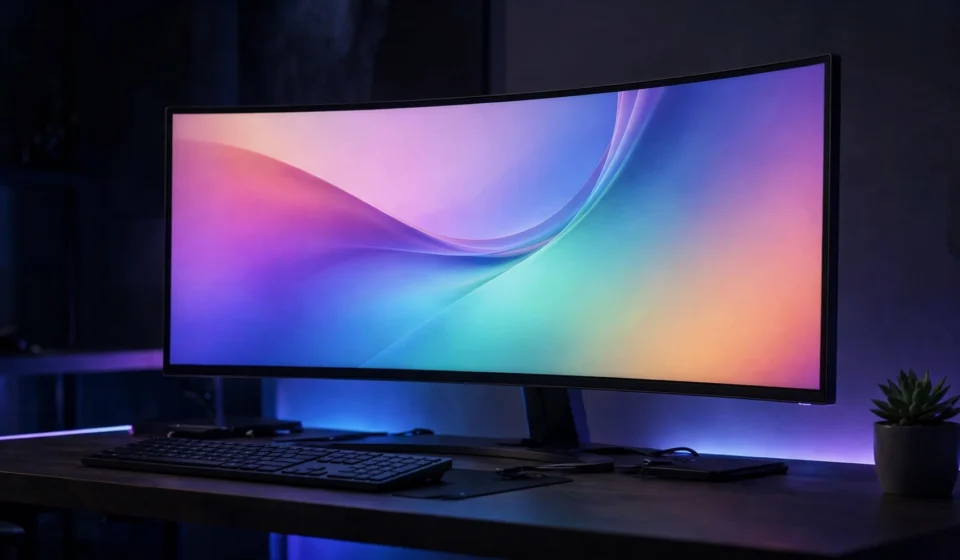

If you are tired of juggling two monitors, awkward bezels and a forest of cables, the best ultrawide monitors 2026 have to offer might be the upgrade your desk has been waiting for. A single ultrawide panel gives you the screen real estate of one and a half or even two standard displays, wrapped in one seamless image with no gap in the middle.
Whether you are editing video timelines, keeping a dozen spreadsheets open at once, or diving into an immersive racing game, there has never been a better time to buy. OLED panels have come down in price, 5K2K resolution is finally mainstream, and refresh rates that were once exclusive to esports monitors now appear on displays aimed at office work. This guide rounds up the standout picks of the year, explains what actually matters when you shop, and helps you avoid paying for features you will never use.
Why an ultrawide monitor is worth it in 2026
A standard 16:9 monitor is 34 per cent wider than it is tall in practice, which means horizontal space runs out fast. A 21:9 ultrawide adds roughly a third more width, while a 32:9 super ultrawide is the equivalent of two 16:9 monitors glued together. For work, that translates into two full-size documents side by side, a code editor next to a live preview, or a video timeline with room to breathe.
Gamers benefit too. The wider field of view makes driving and flight simulators feel dramatically more real, and strategy or role-playing games gain a huge information advantage. Because the image is one continuous panel, there is no bezel splitting your crosshair in half.
What to look for when buying an ultrawide monitor
Before you spend your money, it helps to understand the handful of specifications that separate a great ultrawide from a mediocre one.
Panel technology
OLED is the star of 2026. Both QD-OLED and WOLED variants deliver near-instant response times, perfect blacks and contrast that LCD panels cannot match. They are the top choice for gaming and media. The main trade-off is a small risk of burn-in from static elements like taskbars, although modern panels include pixel-shift and refresh routines that keep this under control.
IPS Black panels, found on premium productivity models, offer better contrast than standard IPS along with excellent colour accuracy. Budget ultrawides usually use VA panels: decent contrast and smooth motion for the price, but weaker viewing angles and colour.
Resolution
For a 34-inch ultrawide, 3440 x 1440 is the sweet spot for most people. It is sharp enough for daily work without demanding a monster graphics card. Steer clear of 2560 x 1080 models for document-heavy work, because text looks noticeably soft. The new 5K2K panels (5120 x 2160) are the luxury option, delivering crisp text and huge working area, but they need a powerful GPU to run games at full resolution.
Refresh rate and curve
A 120Hz panel is the practical minimum in 2026; it makes scrolling and cursor movement feel dramatically smoother than old 60Hz displays. Gamers should look for 144Hz and above, with 240Hz to 360Hz models now common at 34 inches. The curve, measured as 1500R or 1000R, wraps the screen slightly around you. A gentler curve suits mixed work and play, while aggressive curves maximise immersion in games.
Connectivity
If you use a laptop, USB-C with power delivery is the single most useful feature a monitor can have. One cable carries video, data and up to 90-100W of charging, which keeps your desk clean. Check the wattage, because some monitors only supply 65W, which may not be enough for a power-hungry workstation laptop.

The best ultrawide monitors 2026: our top picks
1. MSI MPG 341CQR QD-OLED X36 – best ultrawide overall
The MSI MPG 341CQR QD-OLED X36 earns the top spot by doing almost everything well. Its 34-inch 3440 x 1440 panel uses a fifth-generation Samsung tandem QD-OLED panel that produces vibrant, accurate colour and infinite contrast, running at a blistering 360Hz refresh rate. That combination handles competitive gaming, creative work and everyday productivity in one package.
Connectivity is a highlight. The USB-C port delivers 98 watts of power delivery, so you can dock a laptop with a single cable for video, data and charging. It typically sells for under $1,000, which makes it remarkable value for a QD-OLED panel this fast. The main caveats are pixel density: 110 PPI is noticeably softer than a 4K display, and there are no built-in speakers. Almost every 34-inch ultrawide shares these compromises, so they are easy to live with.
2. LG UltraGear Evo GX9 (39GX950B) – best big-screen ultrawide
If 34 inches feels small, the LG UltraGear Evo GX9 is the answer. Its 39-inch 5K2K (5120 x 2160) tandem WOLED panel is meaningfully sharper than any 3440 x 1440 ultrawide, with excellent contrast and a wide 99 per cent DCI-P3 colour gamut. At native resolution it runs at 165Hz, and a dual mode pushes 330Hz at a lower resolution for competitive play.
Connectivity is generous: two HDMI 2.1 ports, a DisplayPort 2.1 input and USB-C with 90 watts of power delivery cover multi-device setups comfortably. The 1500R curve is moderate enough for office work. It launched with a $1,799.99 MSRP, though retailers have frequently discounted it toward $1,500. You will want a strong graphics card to feed all those pixels.
3. Samsung Odyssey OLED G9 – best 49-inch super ultrawide
The Samsung Odyssey OLED G9 is the nuclear option: a 49-inch 32:9 panel with 5120 x 1440 resolution, a 240Hz refresh rate and a 0.03ms response time. It genuinely replaces two 27-inch monitors with a single seamless display, which makes it a productivity monster as well as a gaming dream.
Racing, flight simulation and multitasking are where this monitor shines. The wrap-around field of view pulls you into the game, while the huge horizontal canvas lets you keep a full timeline, chat and browser open at once. The downsides are obvious: it needs a very large desk, a powerful GPU to drive it, and a premium budget.
4. Dell U4025QW – best ultrawide for productivity
Not everyone wants OLED. The Dell U4025QW is a 40-inch 5K ultrawide built for people who live in spreadsheets, code and design tools. Its IPS Black panel delivers sharp, colour-accurate images, and the 120Hz refresh rate is impressive at this resolution.
Connectivity is best in class: Thunderbolt, Ethernet, HDMI, DisplayPort and a USB hub with multiple downstream ports, plus picture-in-picture and picture-by-picture modes for running two sources side by side. It launched near $2,400 but street prices have fallen substantially. Contrast cannot match OLED and HDR is underwhelming, but for pure office productivity it is hard to beat.
5. MSI MPG 341CQPX – best ultrawide for gaming value
If the flagship X36 stretches your budget, the MSI MPG 341CQPX offers a similar 34-inch QD-OLED experience at 240Hz for noticeably less money. Colours are vibrant, contrast is superb, motion clarity is outstanding, and it works with both AMD FreeSync and Nvidia G-Sync. The USB-C port with 98W power delivery means it also works well as a one-cable laptop dock for a home office.
It is not perfect: the stand is larger than it needs to be, and SDR brightness is mediocre. But at prices frequently under $900, it undercuts older QD-OLED ultrawides while beating them on refresh rate and USB-C support.
6. Alienware AW3425DWM – best mid-range gaming ultrawide
The Alienware AW3425DWM hits a sweet spot for gamers who do not need OLED. This 34-inch WQHD panel runs at 180Hz with a 1ms response time and a 1500R curve, with FreeSync Premium and VESA AdaptiveSync support for tear-free gaming.
It is a sensible pick if you want high refresh rates and a premium feel without paying the OLED tax. Colour performance is vibrant, and Alienware’s design and warranty support are strong selling points at this price tier.
7. Gigabyte GS34WQC – best budget ultrawide
You do not have to spend a fortune to join the ultrawide club. The Gigabyte GS34WQC pairs a 34-inch 3440 x 1440 VA panel with a 120Hz refresh rate, overclockable to 135Hz, and FreeSync support. Contrast is good thanks to the VA panel, and image quality compares favourably with monitors twice the price.
It launched around $330, making it the cheapest route to a proper ultrawide experience. You give up OLED contrast, USB-C power delivery and strong HDR, but for the money the core gaming experience is excellent.
How to set up your ultrawide for the best experience
Give your monitor room to breathe. Ultrawides, especially curved ones, look best when you sit roughly an arm’s length away with the screen centred at eye level. Enable the highest refresh rate in your operating system’s display settings, because many monitors default to 60Hz out of the box.
For OLED models, turn on the built-in burn-in protection features: pixel shift, panel refresh cycles and automatic brightness limiting. Hide your taskbar or set it to auto-hide, use a dark desktop wallpaper, and vary your content. These small habits keep an OLED panel looking pristine for years.
If you are pairing the monitor with a laptop, confirm the USB-C power delivery wattage is enough for your machine before you buy. And if you want a second opinion from hands-on testing, PCWorld’s 2026 ultrawide monitor roundup is a solid reference with detailed reviews of most of these models.
Still deciding on the rest of your setup? A great ultrawide pairs well with a sharp companion display, so take a look at our guide to the best 4K monitors of 2026 if you are considering a second screen.
Frequently asked questions about the best ultrawide monitors 2026
Are ultrawide monitors good for work?
Yes, they are excellent for work. A 21:9 ultrawide gives you roughly a third more horizontal space than a standard 16:9 monitor, which is ideal for side-by-side documents, wide spreadsheets, video timelines and code. Many professionals find one ultrawide replaces a dual-monitor setup entirely.
Should I get a 21:9 or 32:9 monitor?
For most people, 21:9 is the right choice. It fits on a normal desk, works with any graphics card and suits both work and play. The 32:9 super ultrawide format is fantastic for simulation games and heavy multitasking, but it demands a large desk, a powerful GPU and a bigger budget.
Is OLED worth it for an ultrawide monitor?
For gaming and media, absolutely. OLED delivers perfect blacks, infinite contrast and near-instant response times that no LCD can match. The main concerns are a slightly higher price and a small burn-in risk from static on-screen elements, which modern mitigation features keep well under control for typical use.
What graphics card do I need for an ultrawide monitor?
A 3440 x 1440 ultrawide needs roughly 35 per cent more GPU power than a standard 1440p monitor. A mid-range card handles it well. For 5K2K or 49-inch 5120 x 1440 models, you will want a high-end graphics card to maintain smooth frame rates in modern games.
Can I connect my laptop to an ultrawide with one cable?
Yes, if the monitor has USB-C with power delivery. A single cable carries video, data and charging to your laptop. Look for at least 65W of power delivery for ultrabooks and 90W or more for performance laptops.
How far should I sit from an ultrawide monitor?
A good rule of thumb is roughly an arm’s length, about 70 to 90 centimetres, with the centre of the screen at eye level. Curved models are more forgiving because the curve keeps the edges at a more consistent viewing distance.